See your contacts clearly.
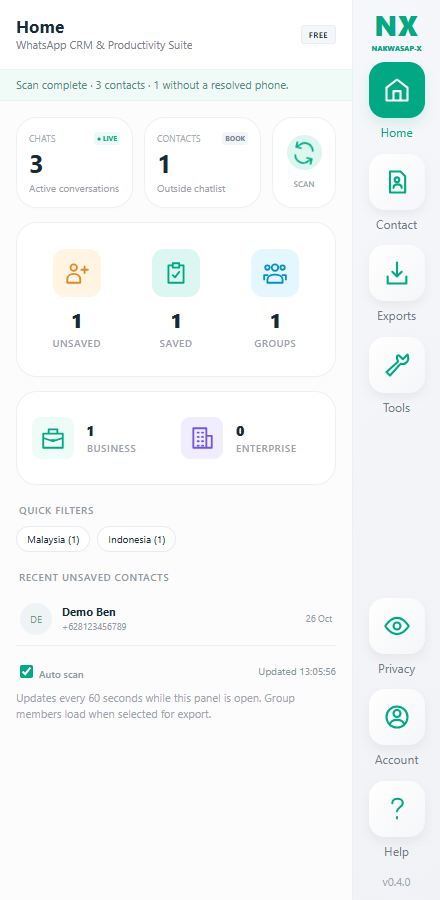
Scan the available session, explore saved and unsaved contacts, and narrow your list with search and country filters.
Find the right people, keep useful notes and turn your WhatsApp contacts into a list you can work with.
Chrome desktop · Developer preview 0.4.0 · No card required
From a busy chat list to something useful.
SCAN. FILTER. EXPORT.Open NX inside WhatsApp Web. Keep your conversations in view while you organize your contacts.
Scan the available session, explore saved and unsaved contacts, and narrow your list with search and country filters.
Add local notes, tags, email and custom fields. Your contact properties stay separated by WhatsApp account.
Choose your source and preview your selection. Export a spreadsheet, contact file or searchable offline report.
NX processes contacts in your browser and saves exports to your device. When billing launches, account sign-in will use your email and a hashed WhatsApp identifier; your contact list is not uploaded to the billing service.
Free is available now. Pro checkout is being prepared; no payment is collected from this preview.
$0always free
Get a useful first export.
$7.99USD / month
Flexibility from month to month.
$59USD / year
A full year of Pro tools.
$79USD / one-time
One payment. No renewals.
Prices are in USD, excluding applicable tax. Pro removes NX plan caps; WhatsApp availability and limits still apply. Clone creates a new group and an invite link; it does not copy chat history or automatically add members.
Try the Free developer preview for Chrome desktop.
This is an unpacked developer preview, not a Chrome Web Store installation yet.
Extract the ZIP into a folder you will keep on this computer.
Open chrome://extensions, enable Developer mode, select Load unpacked, and choose the extracted folder containing manifest.json.
Pin NX and click its icon. Sign in to WhatsApp if needed. NX scans when your session is ready; the NX button on the left opens or closes the panel.
No. Free exports up to 15 contacts per export or selected group and supports up to five bulk items per run. No card is required.
No automatic messaging is included. Contact scanning and exporting do not send messages. Group invitations are provided as a link for you to share yourself.
This build is for Chrome desktop and WhatsApp Web. It does not run inside the WhatsApp mobile app.
Previewing a group is read-only. Teardown removes members, leaves the group and deletes your local chat after review and confirmation. It cannot erase other members' copies. Group execution requires Pro and is not available in the Free preview.
No. NX is independent software and uses an unofficial browser integration. WhatsApp changes can affect compatibility. It can read only the contacts available to your connected session.